Yes, a security camera can record without a mandatory cloud storage subscription. The decisive factor is not the camera alone, but whether it provides a local stream through RTSP or ONVIF. CloudlessCam can record that stream on your own Windows, Linux, or macOS computer and save it to a storage target you choose.
CloudlessCam is not subscription-free software. It requires an annual software licence. The difference is the storage path. Your camera recordings do not have to be tied to an additional storage subscription from the camera manufacturer.
This gives you control over storage location and retention. An optional remote storage target may still be useful. It is then an intentional addition and not a technical requirement for every playback.
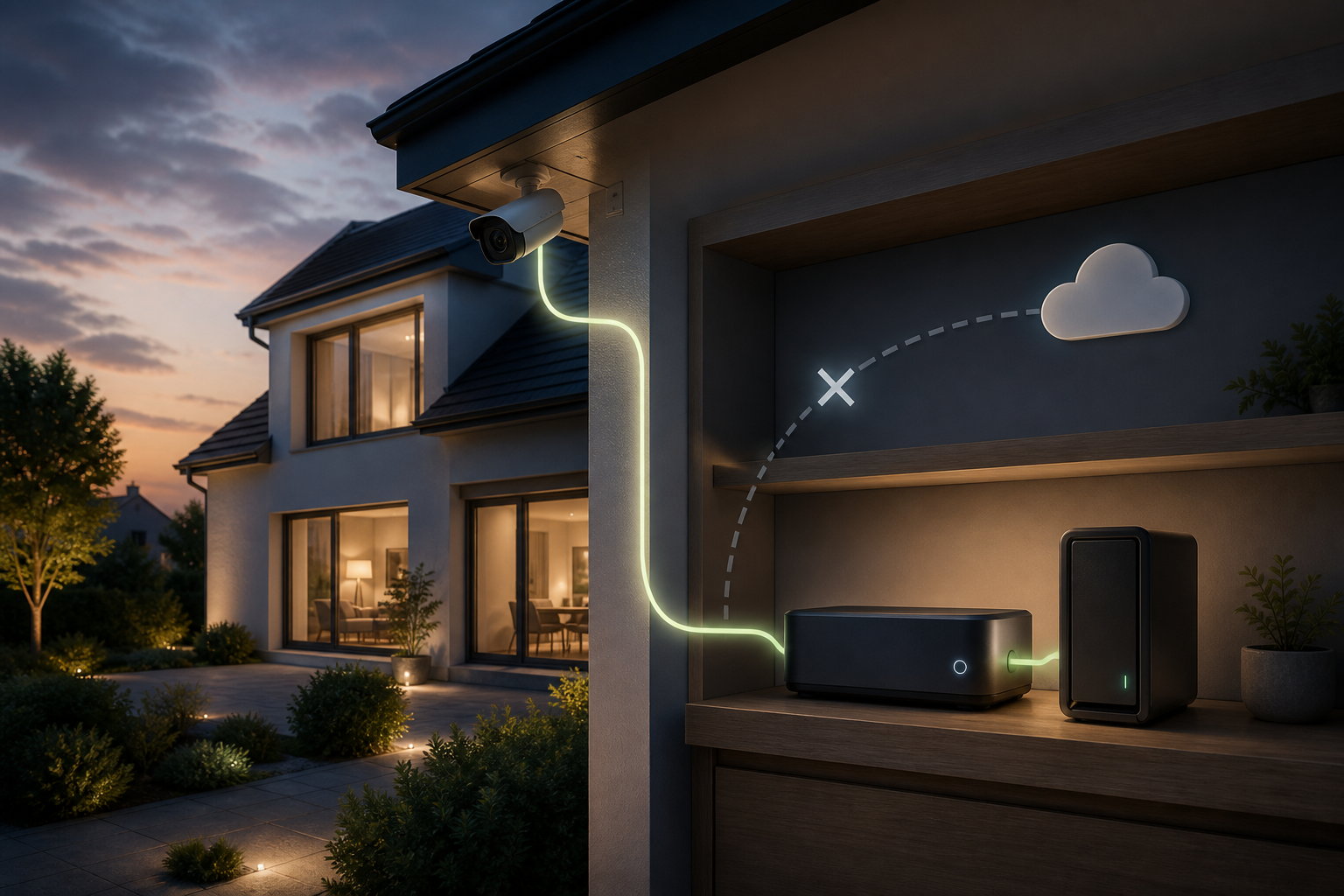
Why “without a cloud storage subscription” starts when you buy the camera
Many cameras advertise a local memory card while also offering additional cloud services. That is not automatically a problem. It becomes a problem when recording, searching, or exporting only works through a mandatory online service.
Check these four points before buying:
| Question | Why it matters |
|---|---|
| Does the model support RTSP or ONVIF? | Only an accessible standard stream can be used flexibly with third-party software |
| Does the stream work on the local network? | A manufacturer cloud alone is not a local recording path |
| Is continuous power available? | Many battery-powered cameras do not provide a permanent stream |
| Can separate credentials be assigned? | A separate camera account protects the manufacturer account and simplifies integration |
Manufacturers such as Reolink, TP-Link Tapo, and INSTAR offer models with open protocols. The exact model and, where relevant, the hardware revision must still be checked. A brand name alone is not a compatibility guarantee.
What a local recording path looks like
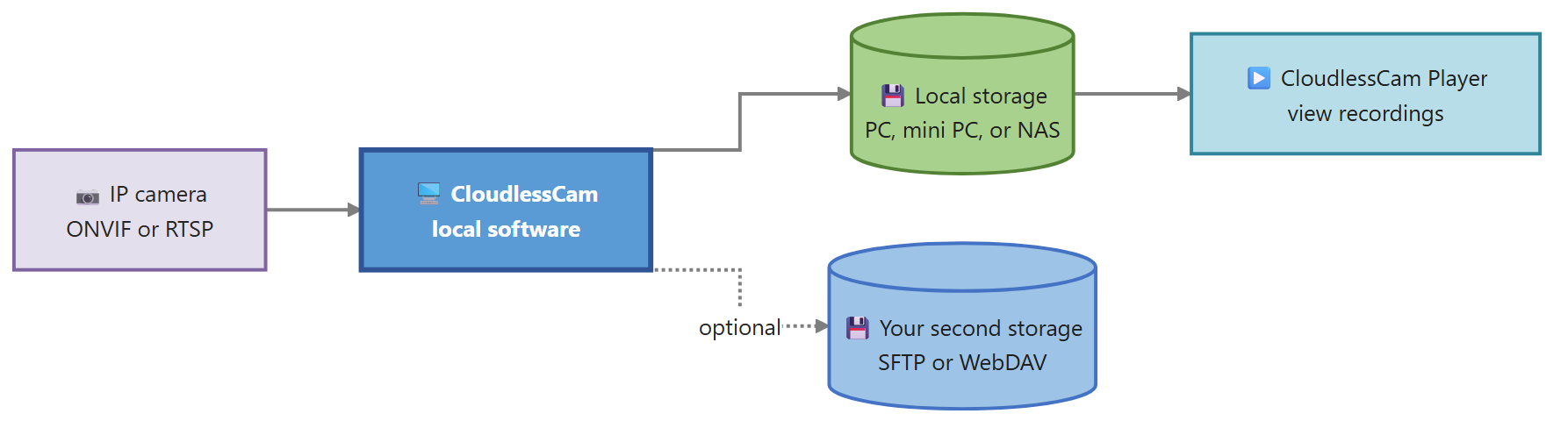
The camera provides the stream on your own network. CloudlessCam handles scheduling, recording, and file creation. Possible targets include a local drive, a mounted network path, or a supported remote storage path.
This setup separates three decisions that are often tied together in an all-in-one cloud service:
- Which camera provides the right image?
- Which software records the stream?
- Where should the files be stored?
You can therefore replace a camera without automatically changing the entire storage and playback path.
What CloudlessCam does in this setup
CloudlessCam discovers suitable cameras through ONVIF or accepts a known stream URL manually. You then choose the main stream or substream, create a recording configuration, and assign a storage target.
A useful first test consists of five steps:
- Set up the camera on the local network.
- Enable ONVIF or RTSP according to the manufacturer’s instructions.
- Find the camera in CloudlessCam or add it manually.
- Create a short recording.
- Play the file from start to finish in CloudlessCam Player.
Only the final step proves that the complete local recording chain works, not just the live view.
Local does not automatically mean one hard drive
A security camera without a mandatory cloud service can still use several storage levels. A local drive is suitable for fast recording. A NAS can provide more capacity. An additional SFTP, WebDAV, or S3-compatible target can help protect against the loss of an entire site.
The order matters. Start with a file that plays locally. Add the second storage path afterwards. If the network connection fails, you can then tell whether the camera recording or only the transfer is affected.
The available storage paths and how they work together are described in the CloudlessCam features.
Who is this approach suitable for?
This local setup is particularly suitable for people who already operate a PC, mini PC, or server and want to choose the storage location themselves. It also works for multiple camera brands if the models used provide accessible standard streams.
It is less suitable for purely battery-powered cameras that wake only for events and do not offer a permanent RTSP or ONVIF stream. Anyone who wants a fully managed manufacturer solution without running their own computer may find a cloud package easier to operate.
CloudlessCam is designed to be manufacturer-independent and is not affiliated with Reolink, TP-Link Tapo, or INSTAR.
Frequently asked questions
Does a cloud storage subscription remove all ongoing costs?
No. CloudlessCam is used with an annual software licence. Depending on the setup, you may also have costs for power, hardware, drives, networking, and optional remote storage services. What disappears is the technical dependency on a mandatory cloud storage subscription for the camera recordings.
Can I record any Wi-Fi camera locally?
No. The model must provide an accessible stream. Check RTSP, ONVIF, power supply, and the manufacturer’s conditions before buying.
Does the CloudlessCam computer have to run all the time?
It must be active during the scheduled recording times. For continuous recording, an efficient mini PC or server is usually more suitable than a computer that is regularly switched off.
Can I add more cameras later?
Yes, provided that the computer, network, storage, and applicable licence have enough capacity. Test each new camera separately first.
Conclusion
A security camera without a mandatory cloud storage subscription is not defined by a single marketing statement. It is built from an open camera stream, a local recording software, and a storage path that you control. CloudlessCam provides the recording software under its annual software licence. Install CloudlessCam and check with one camera whether the complete path from live view to playable file works locally.