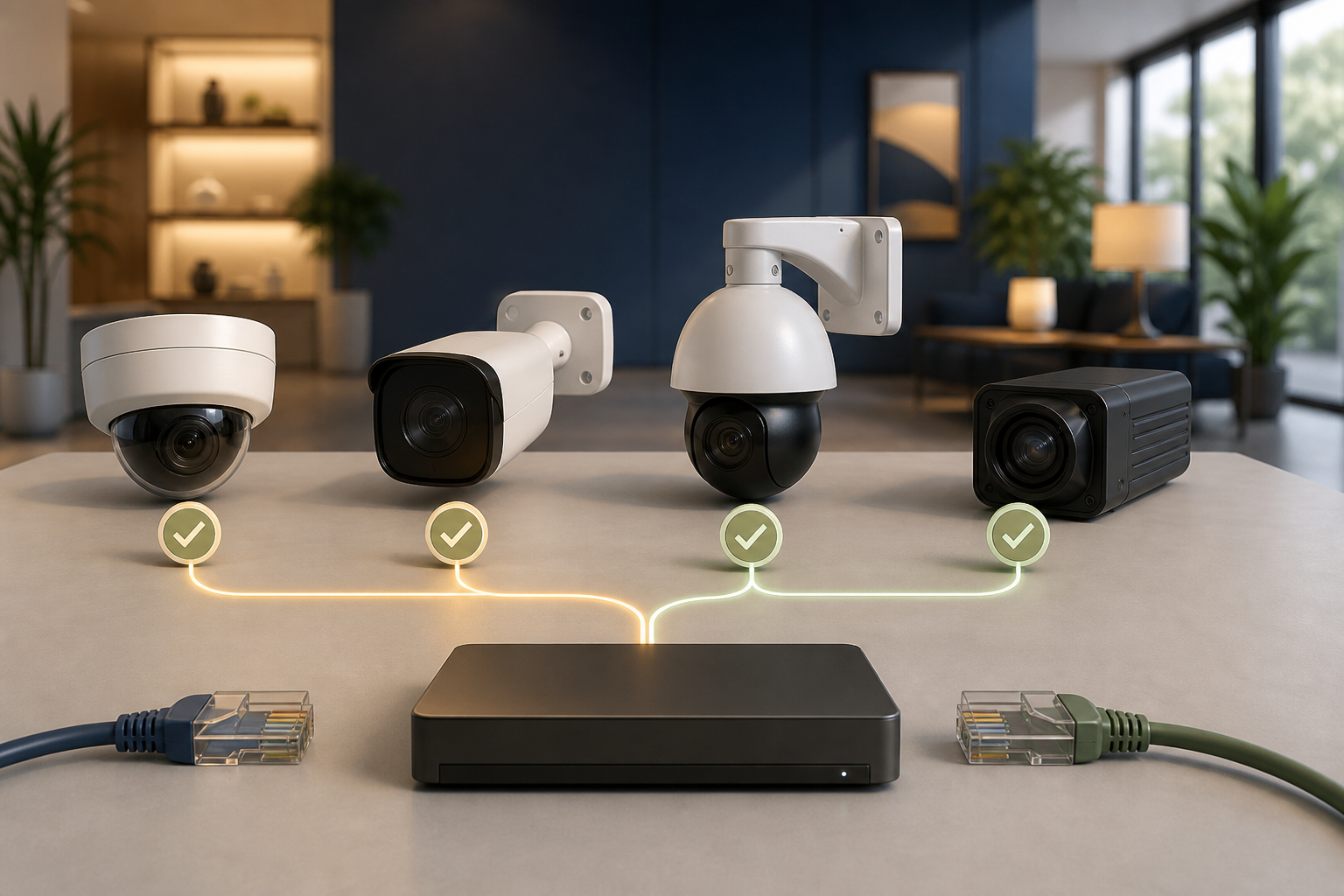
A camera is interesting for a manufacturer-independent recording software when the exact model provides a local RTSP stream or suitable ONVIF functions. Do not rely on the brand name. Check the model, hardware revision, firmware, power supply, and manufacturer conditions before buying.
CloudlessCam can discover ONVIF cameras on the network and add known stream URLs manually. How completely live view, audio, PTZ, or image settings work still depends on the real combination of camera and supported protocol.
The one-minute buying check
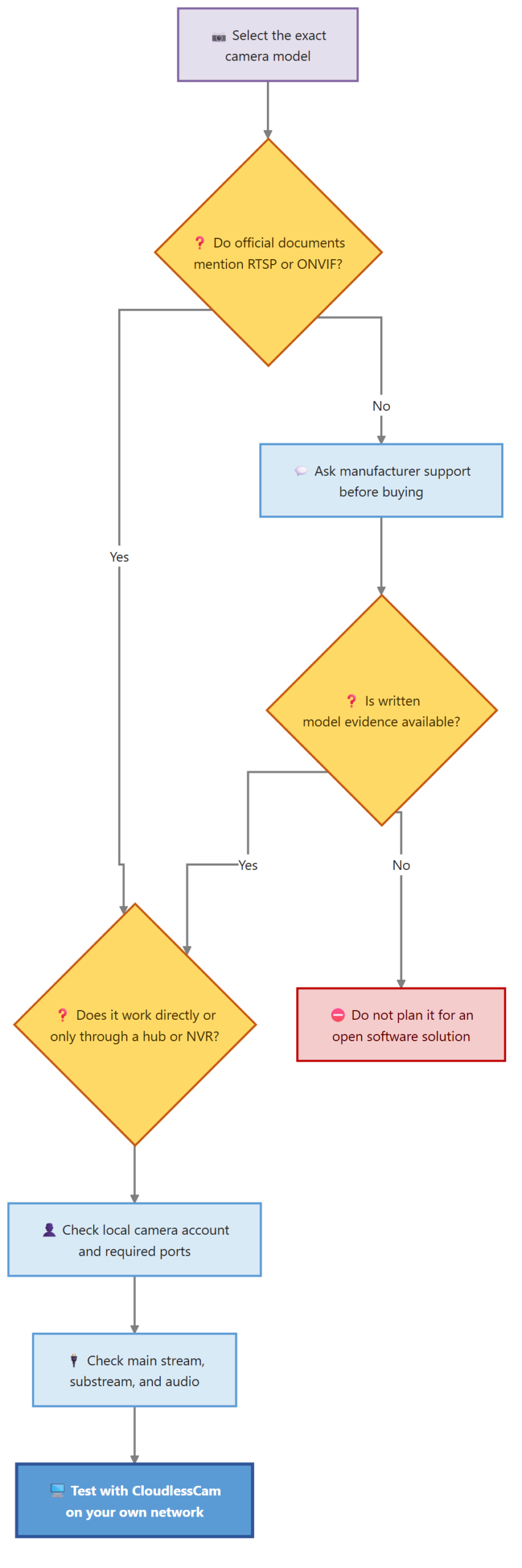
Search the official data sheet or support area for RTSP, ONVIF, and Third-Party Software. If these terms are missing, ask the manufacturer using the exact model and hardware revision.
Then check:
- Is the stream reachable directly from the camera?
- Does a hub or manufacturer NVR have to be placed in between?
- Does the model require continuous power?
- Must a separate camera account be created?
- Which streams and resolutions are available?
- Which ONVIF profiles are listed for this exact firmware?
The official ONVIF directory can also show whether a product is registered as conformant with a particular firmware. A simple mention of ONVIF in a sales listing is less reliable.
What well-known brands show today
| Brand | Typical positive signal | Important limitation |
|---|---|---|
| Reolink | Many PoE and continuously powered Wi-Fi models provide RTSP and ONVIF | Battery, LTE, and kit models may need a hub or NVR or may be unsuitable |
| TP-Link Tapo | Many continuously powered cameras provide RTSP and ONVIF Profile S | Battery and solar models are often excluded |
| Hikvision | Documented RTSP paths for main and substream | Check the model, enabled services, and account |
| Dahua and Amcrest | A documented cam/realmonitor stream is common | Model and firmware differences remain relevant |
| Axis and Hanwha | Professional devices often document RTSP and ONVIF in detail | Profiles and additional functions depend on the model |
| INSTAR and Foscam | Many network models have documented local streams | Newer battery or cloud models may differ |
This table is not a compatibility list. It shows which questions arise from the manufacturer information.
RTSP and ONVIF solve different tasks
RTSP primarily provides video and, where available, audio. That is often enough for a manually configured recording. ONVIF can additionally describe discovery, stream profiles, PTZ, and other device functions.
A camera can therefore record through RTSP without being discovered automatically. Conversely, successful discovery does not mean that every PTZ or image function is supported.
For buying, use this priority:
- Recording only required: a documented RTSP stream may be sufficient.
- Automatic discovery desired: check ONVIF discovery.
- PTZ or profiles important: test the concrete ONVIF functions and model.
- Multiple brands planned: value an open standard access path more highly than a single manufacturer app.
Provide the final proof after buying
Even a good product description cannot replace a practical test. If you are unsure, initially buy one model and check it completely:
- Create a local camera account.
- Enable ONVIF or RTSP.
- Add the camera to CloudlessCam.
- View the main stream and substream.
- Create a short recording.
- Open the file in the intended player.
- Test only the additional functions you need, such as PTZ.
The CloudlessCam compatibility overview explains how platforms and camera access are assessed.
Requirements and limits
CloudlessCam is developed independently of the manufacturers named above. There is no partnership or general manufacturer approval. Firmware updates can change behaviour and protocol access.
Do not use publicly reachable example addresses and do not expose camera ports directly to the Internet. This buying check evaluates local integration, not the legal suitability of a camera location.
Frequently asked questions
Is every ONVIF camera compatible with every software package?
No. Profiles include mandatory and conditional functions. Firmware, authentication, and the manufacturer’s implementation also affect the result.
Is RTSP enough for video recording?
Often yes. ONVIF can provide additional benefits for discovery, PTZ, and device settings.
Why are battery cameras often unsuitable?
A permanent stream would use a lot of energy. Many battery models therefore wake only briefly or provide third-party access through a hub.
Can I test an unknown camera with CloudlessCam before buying?
Only if you can access the actual device or the seller provides a test. Official data sheets reduce risk, but they do not replace a practical recording attempt.
Conclusion
When buying an ONVIF or RTSP camera, check the local stream first and the additional functions afterwards. The model and firmware matter more than the logo. Install CloudlessCam and test one selected camera completely before ordering several devices.